Reaction Path Search
Overview
Estimate the minimum energy path from the reactants to the products and obtain an initial guess of the transition state structure.
Check the Input and Visualizer section for the allowed input types and how to upload the files.
Modules Available
Four modules are currently available:
Hybrid ML model - Fastest and DFT-accurate using machine learning
GFN2-xTB - Tight-binding method (fast and reasonably accurate)
DFT - Density Functional Theory (highest accuracy)
All the above three modules use the nudged elastic band (NEB) method for the reaction path search task. With GFN2-XTB, there is an additional option perform the same with meta-dynamics reaction path finder.
In the meta-dynamics reaction path finder, a repulsive and an attractive potential is applied on the reatant and product structures, respectively. If the chosen potential is correct, xTB will yield the reaction path between reactant and product with a straight-forward geometry optimization.
Hybrid ML Module Input Fields
Upon selecting the Hybrid ML module, following inputs have to be provided:
Total charge of the molecule (e.g., 0)
Spin mulitplicity = 2S+1 (e.g., 1 for singlet)
Number of images for linear interpolation between initial and final systems.
Following convergence parameters can also be set.
Root mean square gradient
Maximum gradient
Change in energy
GFN2-XTB Module Input Fields
If Nudged Elastic Band is selected, the following inputs must be provided:
Number of images for interpolation between initial and final systems.
Maximum force
If meta-dynamics is selected for reaction path search, then the following input parameters for repulsive and attractive potentials have to be provided.
Total charge of the molecule (e.g., 0)
Spin multiplicity = 2S+1 (e.g., 1 for singlet)
Total charge of the molecule (e.g., 0)
Spin multiplicity = 2S+1 (e.g., 1 for singlet)
Number of points along the path
Number of path search runs
Alpha parameter for path optimization
Push strength for meta-dynamics
Pull strength for meta-dynamics
Additional pull parameter
Number of optimization cycles
DFT Module Input Fields
Upon selecting the DFT module, the following inputs must be provided:
Total charge of the molecule (e.g., 0)
Spin multiplicity = 2S+1 (e.g., 1 for singlet)
Select the basis set family (e.g., Pople, Dunning)
Select the basis set (e.g., 6-31G, 6-31+Gss)
Choose an exchange-correlation functional (e.g., M06)
Number of images for interpolation between initial and final systems.
Note
The number of images should be greater than 2. This number includes the reactant and product structures, so the minimum value is 3.
Maximum force
Finally, click the Run Reaction Path calculation button to start the calculation.
Note
We have LDA, PBE, PBE0, M06, B3LYP, CAM-B3LYP and wB97X functionals available currently for the GPU-enabled runs.
Output Details
The following options are available to explore and save the results of your geometry optimization:
To see the reaction paths, click the “Path” dropdown at the top left of the visualiser.
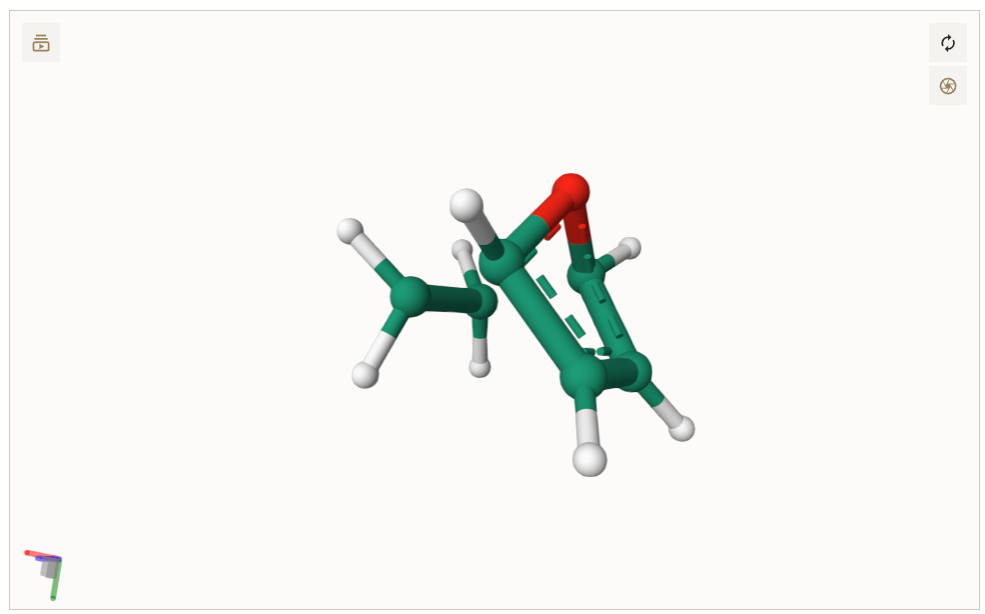
Figure: This viewer decpicting the the reaction path connecting reactants and products.
Tick the “Show Transition State” checkbox to view the initial guess transition state structure.
In the bottom right corner, you can save the “Guess TS”, “Reaction Paths”, “Optimized reactants” and “Optimized products” in xyz format.